Add to your
phone's home screen.
Works like a real app. Tap the icon, it opens. No wifi needed. No sign-up. Nothing to download.
You must use Safari for this to work. If you opened this in Chrome or another browser, copy the link and open it in Safari first.
Open Safari and go to this page
Safari is the blue compass icon. In the address bar at the top, type: shroomdosage.com — then load this page.
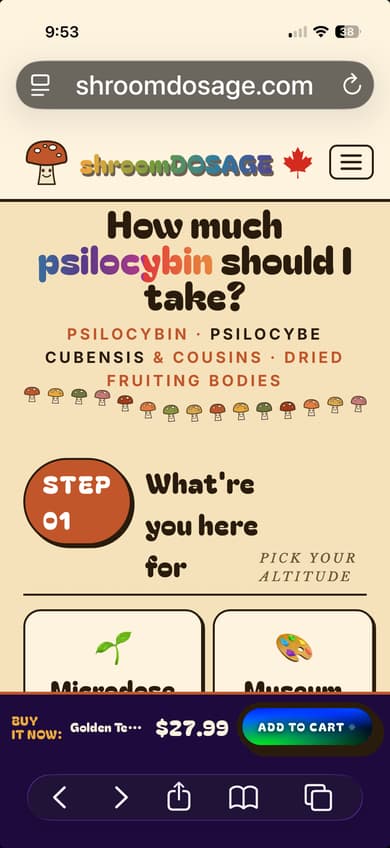
Tap the Share button at the bottom
Look at the bottom of the Safari screen. There's a row of icons. The one in the middle looks like a box with an arrow pointing up. Tap it.
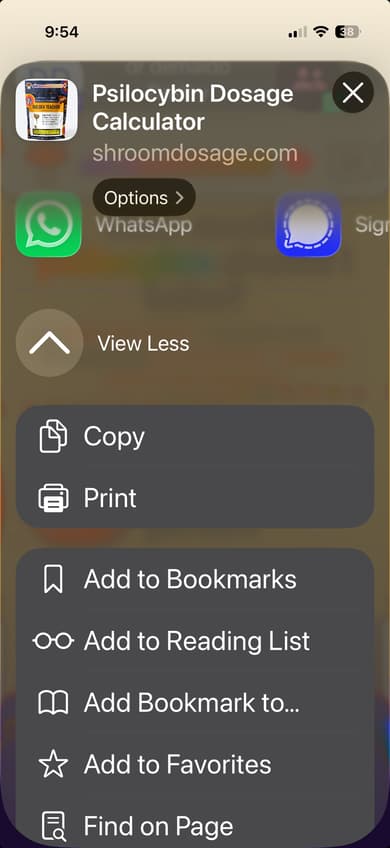
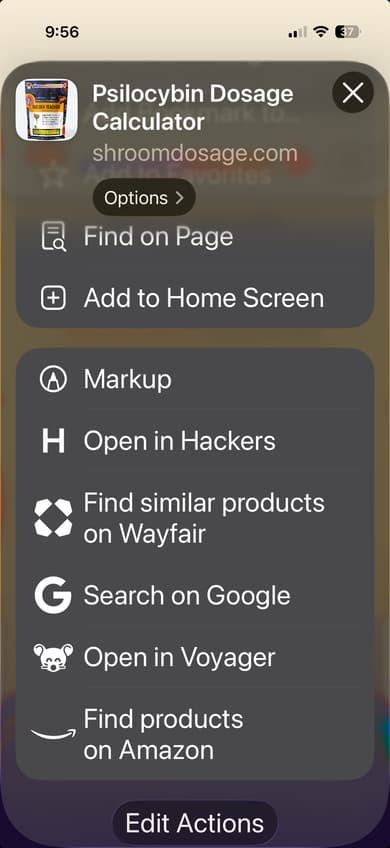
Scroll down and tap "Add to Home Screen"
Scroll down the list until you see "Add to Home Screen" — it has a small square with a plus sign. Tap it.
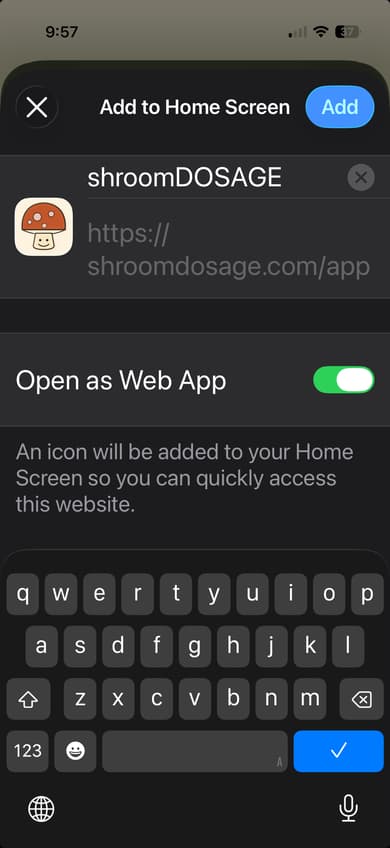
Tap "Add" in the top-right corner
A screen appears showing the name "shroomDOSAGE". Don't change anything — just tap the blue "Add" button in the top-right corner.
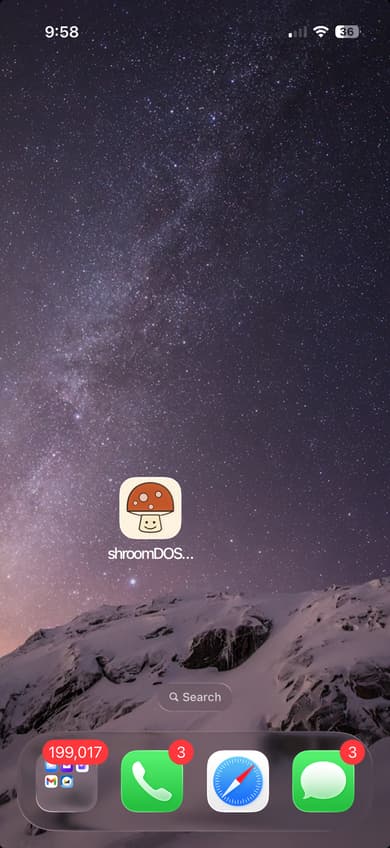
You're done. It's on your home screen.
Swipe up or press home to leave Safari. The shroomDOSAGE mushroom icon is now on your home screen. Tap it any time — no browser needed.
These steps are for Chrome — the colourful circle icon. Samsung Internet works too, nearly identical steps. Most other Android browsers don't support installation.
Open Chrome and go to shroomdosage.com
Chrome is the colourful circle icon. Tap the address bar at the top, type shroomdosage.com, and hit Go.
Check the bottom of the screen first
Chrome sometimes shows a small bar at the very bottom that says "Add shroomDOSAGE to Home screen." If you see it — tap Add and you're done. Skip the rest of these steps.
Tap the three vertical dots ⋮ in the top-right corner
Look at the very top-right corner of Chrome — three small dots stacked on top of each other. That's the menu. Tap it.
Tap "Add to Home Screen" in the menu
A list appears. Scroll down until you see "Add to Home Screen." On newer Android phones or Chrome versions this may say "Install app" instead. Tap it either way.
Tap Add to confirm
A popup appears showing the shroomDOSAGE name and mushroom icon. Tap the Add or Install button. Some phones show a second confirmation — just tap Add again.
Done. It's on your home screen.
Press your home button. The shroomDOSAGE icon will be there. Tap it any time — no wifi needed.
Need a visual walkthrough?
Google's official guide shows exactly what each step looks like on a real Android phone: Install a website as an app — Google Chrome Help ↗
Still not working?
The most common reason: you're using the wrong browser.
iPhone: must be Safari. | Android: must be Chrome.
Copy the link from your current browser and paste it into the right one.